

A modern, Office-style Ribbon for Uno Platform and WinUI 3.
Classic and simplified layouts, adaptive resizing, contextual tabs, backstage, Quick Access Toolbar, KeyTips,
galleries with live preview, Office color pickers, ScreenTips, command search, customization, toolbars and full MVVM.

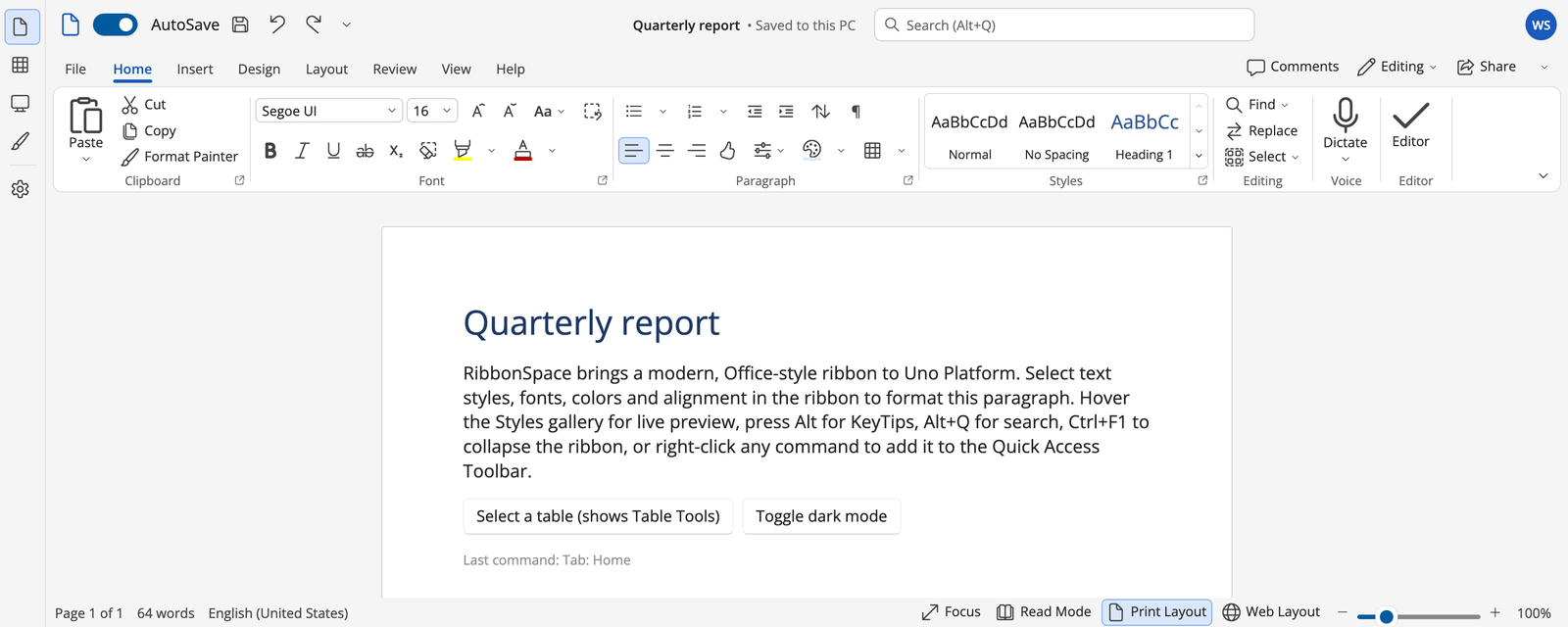
RibbonSpace is the shared command UI for the Uno "Space" applications (TextSpace, GridSpace, PresentationSpace, NoteSpace, DataSpace, CadSpace, and ImageSpace, VectorSpace and the other toolbar-based apps). It was designed after studying all seventeen of them and modern Word, Excel and PowerPoint (research).
It runs on every Uno Platform target: Windows, macOS, Linux, WebAssembly, iOS and Android. It also runs natively in WinUI 3 (Windows App SDK) apps that don't use Uno. Both packages compile the same sources, so they share every control, feature and fix.
| Adaptive layout | Groups shrink Large → Medium → Small → Collapsed (popup), with SizeDefinition, ReductionOrder, row layouts (Font / Paragraph) and scrolling as the last resort. |
| Simplified ribbon | Office's single-line ribbon with a "More options" overflow of linked copies, plus per-item SimplifiedVisibility. |
| Contextual tabs | Coloured contextual tab groups ("Table Tools") with auto-select, and the previous tab restored when they hide. |
| Backstage | Full-window File view with pages, actions, footer items, an accent pane, animation and KeyTips. |
| Quick Access Toolbar | Add or remove any command (linked copies that stay in sync), customize menu, above / below / title bar, labels, persistence. |
| KeyTips | Alt / F10 with multi-level, multi-letter, collision-free tips that reach collapsed groups, launchers, overflow, backstage and the QAT. |
| Command controls | Buttons, split buttons (checkable, follow-last-choice), drop-downs, toggles and radio groups, check boxes, button groups, stacks. |
| Inputs | Editable combo boxes (font preview, values not in the list), spinners with units and drag-scrubbing, text boxes, sliders, segmented controls. |
| Galleries | In-ribbon galleries that resize with the group, expand into categorized, filterable popups, have footer commands and live preview. |
| Colour and table pickers | Office palette with theme shades, standard / recent / automatic / no colour and More Colors; Insert Table grid picker. |
| Search | Microsoft Search box (Alt+Q): fuzzy, acronym and keyword ranking over every command, plus a VS Code-style command palette. |
| Title bar and status bar | QAT, title, search and account; OS title-bar integration; status bar with Office zoom control. |
| Toolbars | Horizontal / vertical / two-column tool palettes with "⋯" overflow, tool option bars, a classic menu bar. |
| MVVM | Bind a RibbonModel. Everything is generated and two-way synchronized; string-id routing via ItemInvoked, ICommand, or a command catalog. |
| Customization and state | Office "Customize the Ribbon / QAT" dialog, hide / rename / reorder, custom tabs and groups, import / export, versioned AOT-safe JSON state, plugin merging. |
| CAD ribbons | AutoCAD-class features (guide): CAD theme style, expanded panels with pushpin, minimize to panel titles / buttons or cycle, floating panels, Show Tabs / Panels menus, progressive tooltips, application menu with search and recent documents, layer and property drop-downs, line-art icons. |
| WinUI 3 | RibbonSpace.WinUI brings the same controls to plain Windows App SDK apps. It is compiled from the same sources, and the gallery and runtime UI tests run on both (guide). |
| Theming | Lookless templates; Light / Dark / HighContrast; Office or CAD surface style; 12 application palettes plus custom accents, applied live; Colorful or Neutral chrome; Compact / Comfortable / Touch density; fully custom metrics. |
| Quality | Accessibility peers and stable automation ids, localization (en, de, fr, es, pl), RTL, 95 unit tests and 85 runtime UI tests (run on Uno and on WinUI), trimming / AOT friendly. |
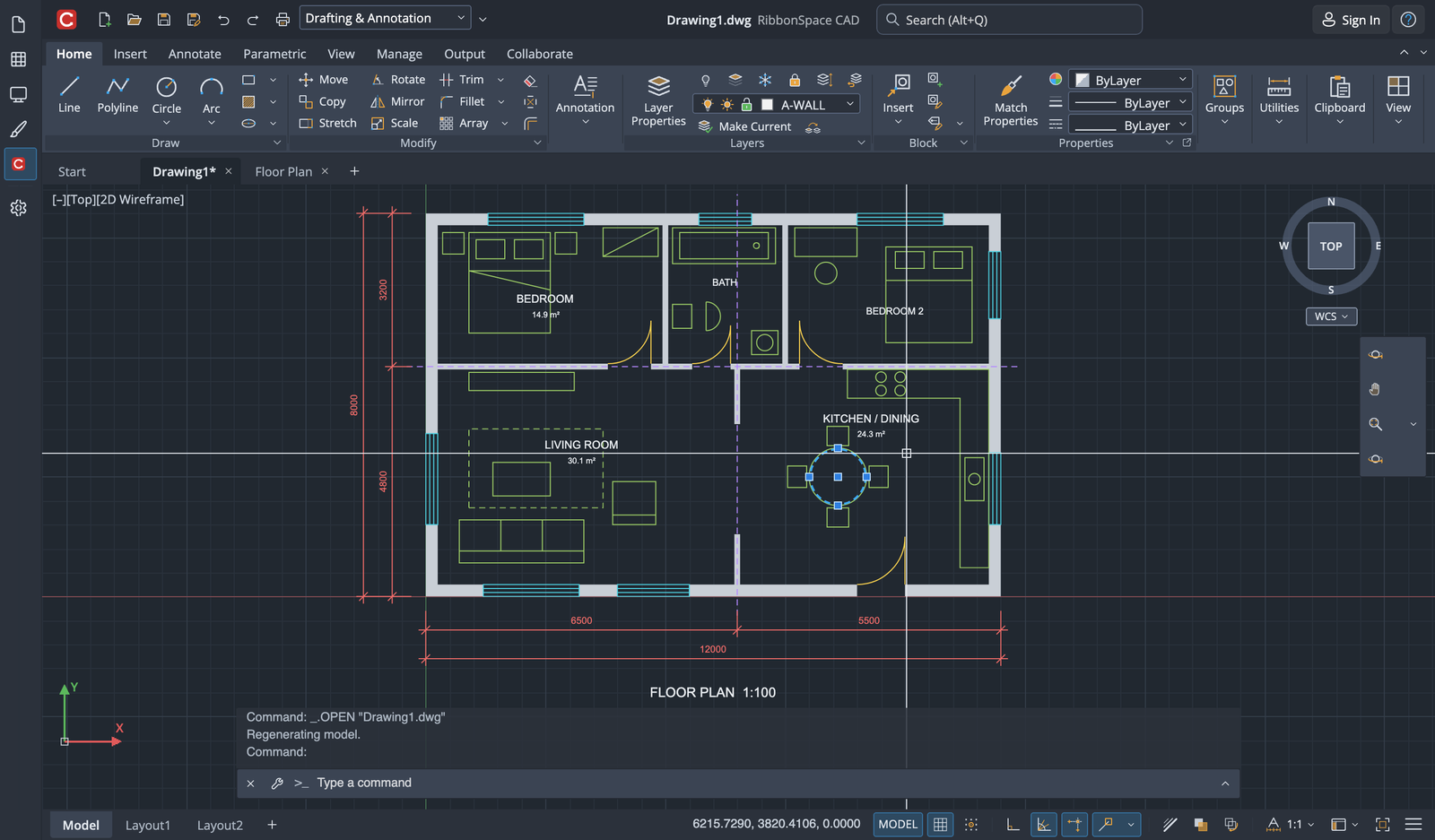 CAD: AutoCAD-class ribbon with the CAD theme, layer drop-down, floating and expanded panels (guide) |
|
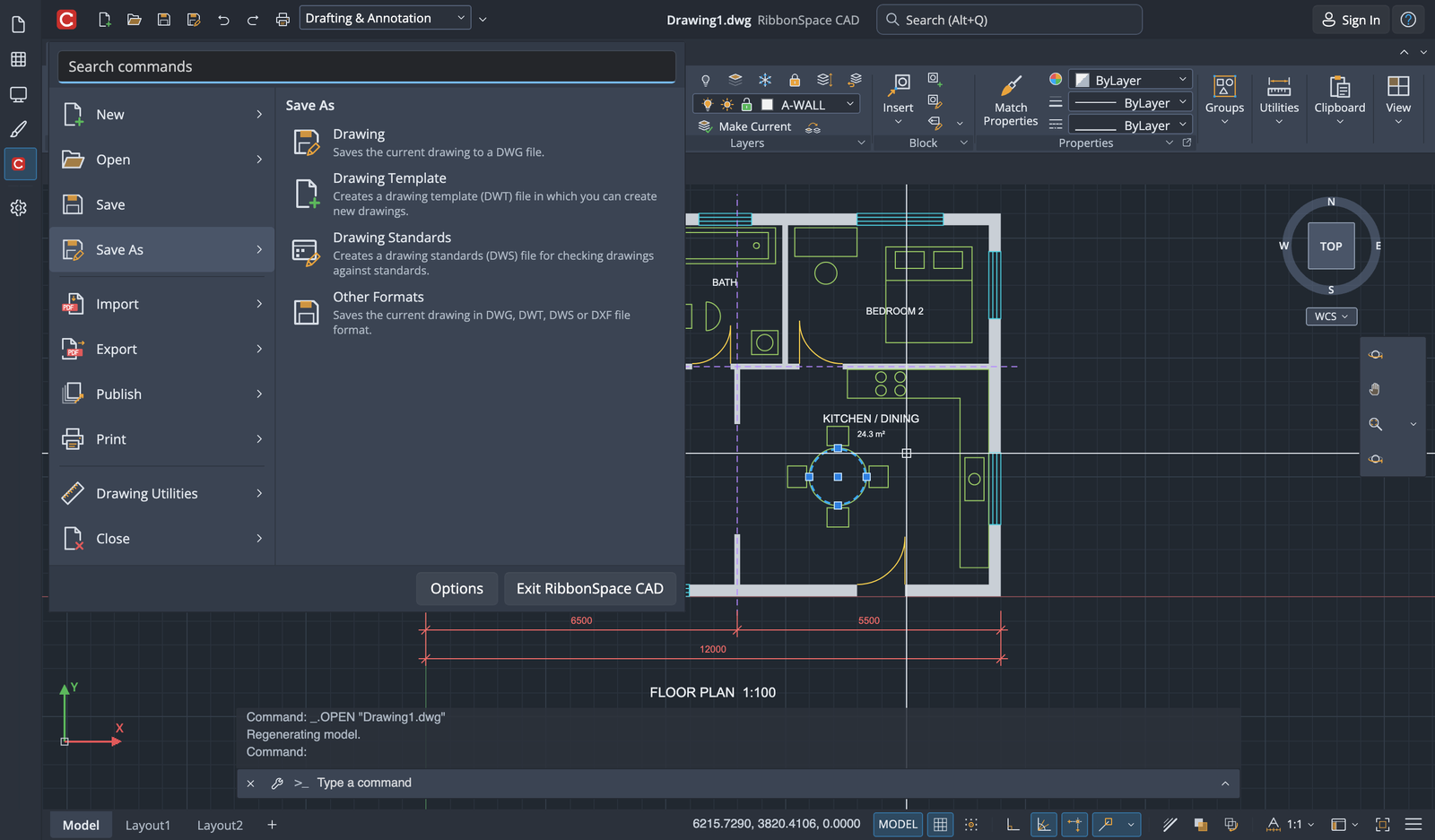 Application menu with search, sub-commands and recent documents |
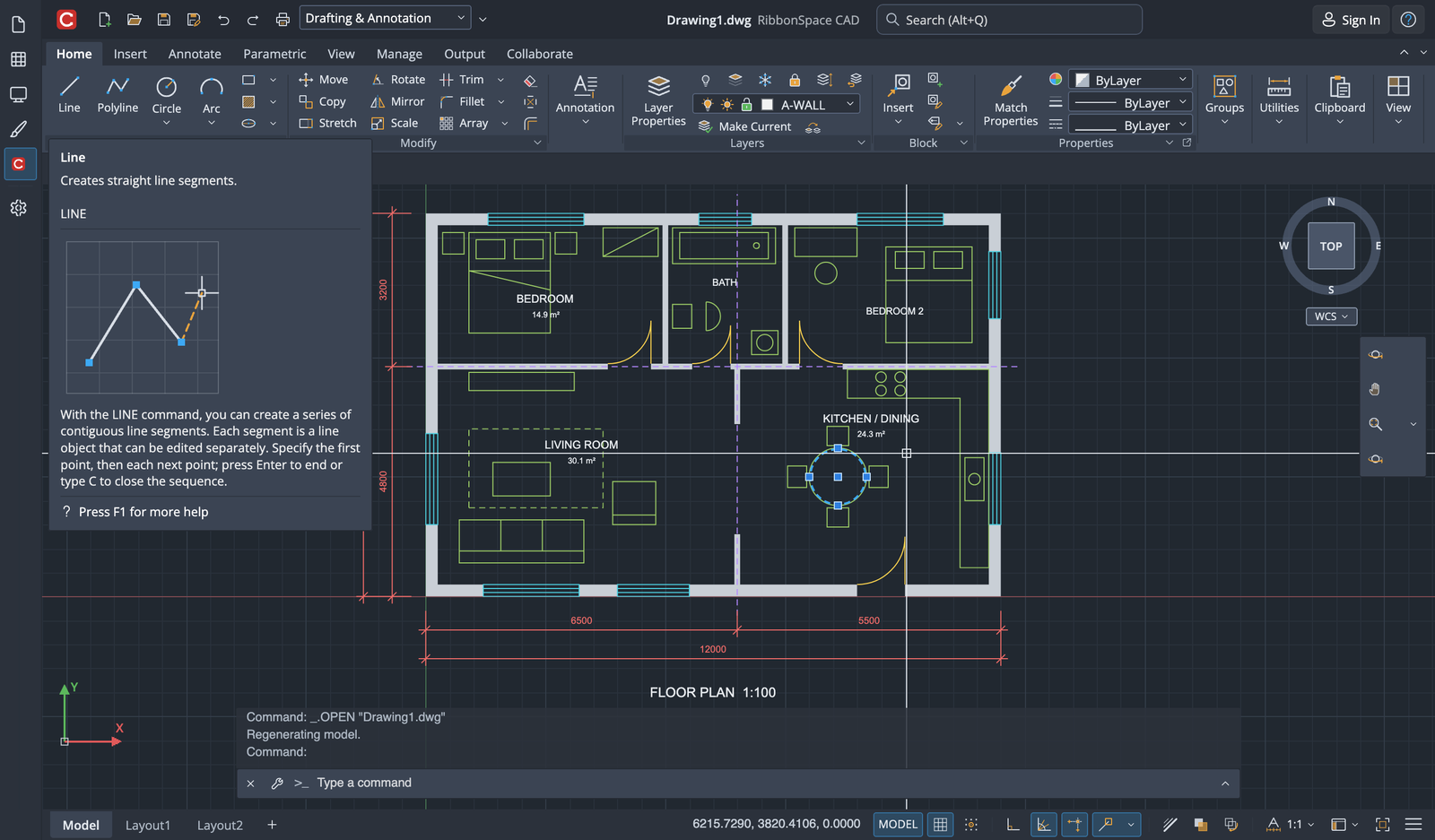 Progressive tooltip with extended help |
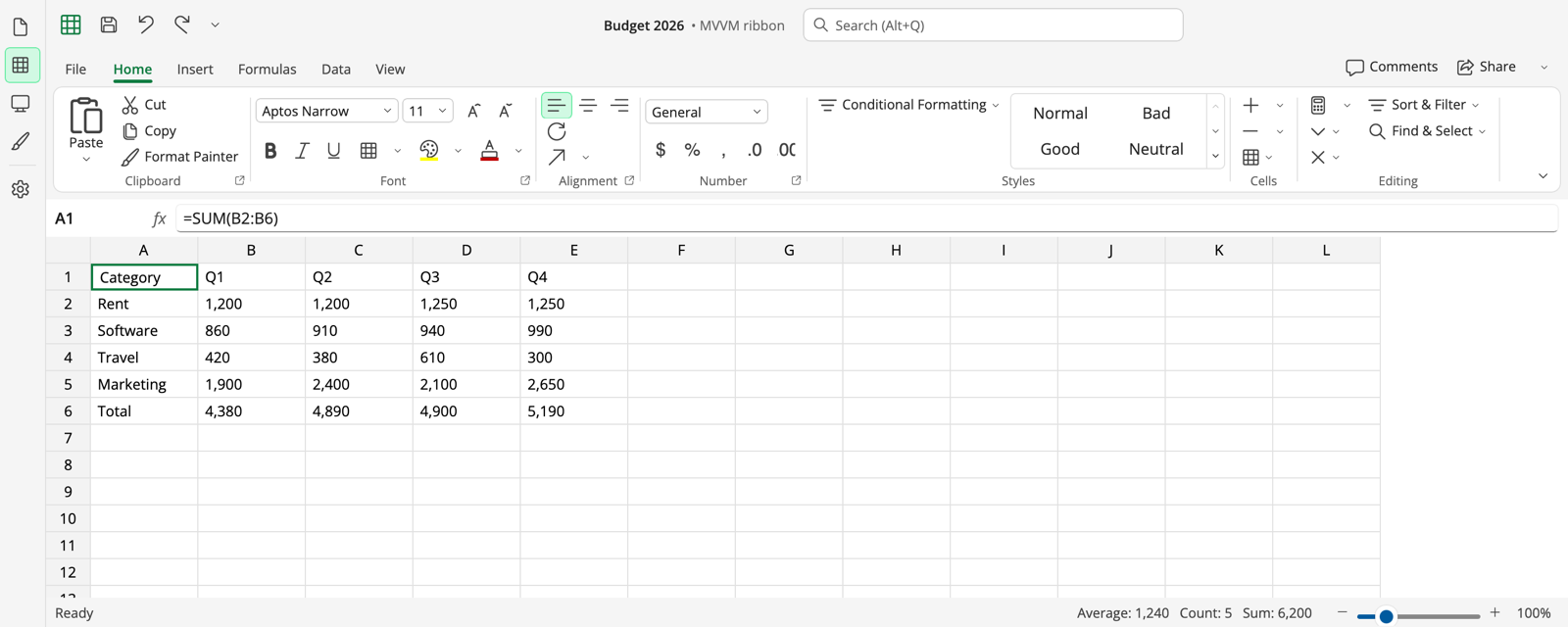 Excel: 100% MVVM ( RibbonModel) |
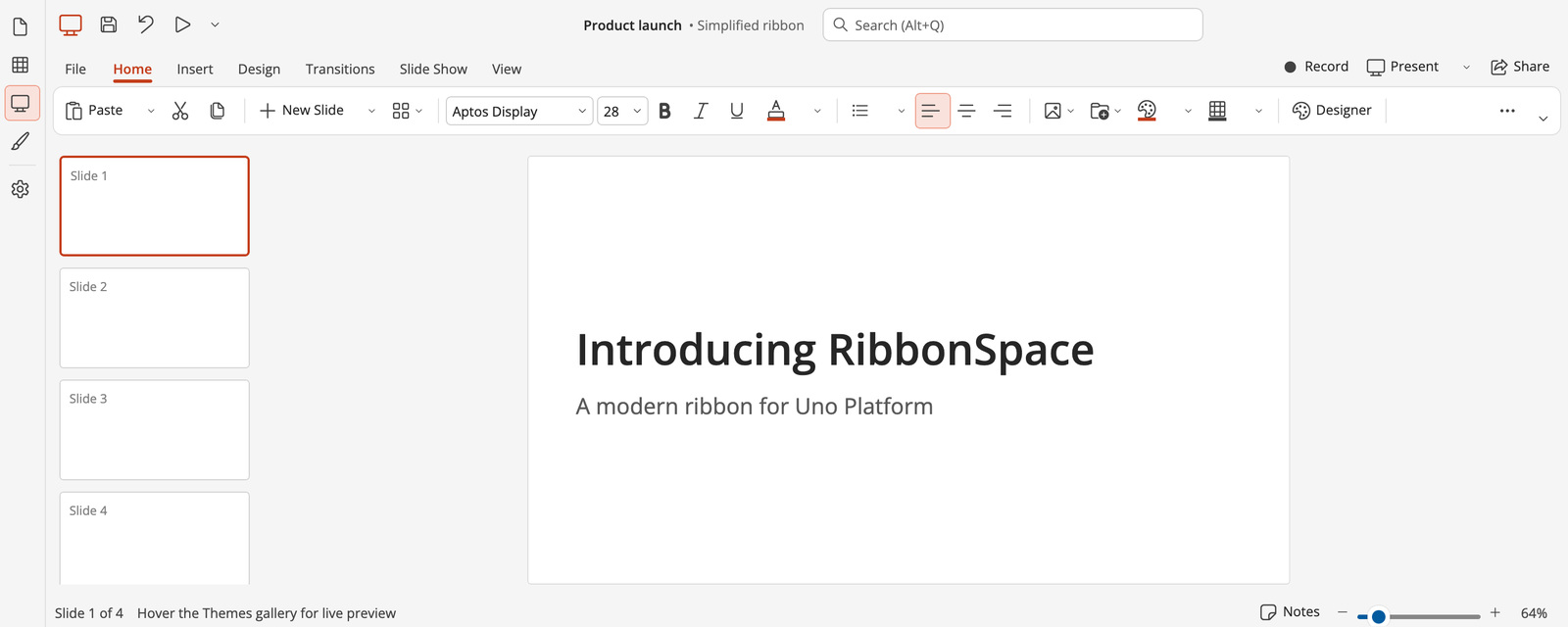 PowerPoint: simplified ribbon |
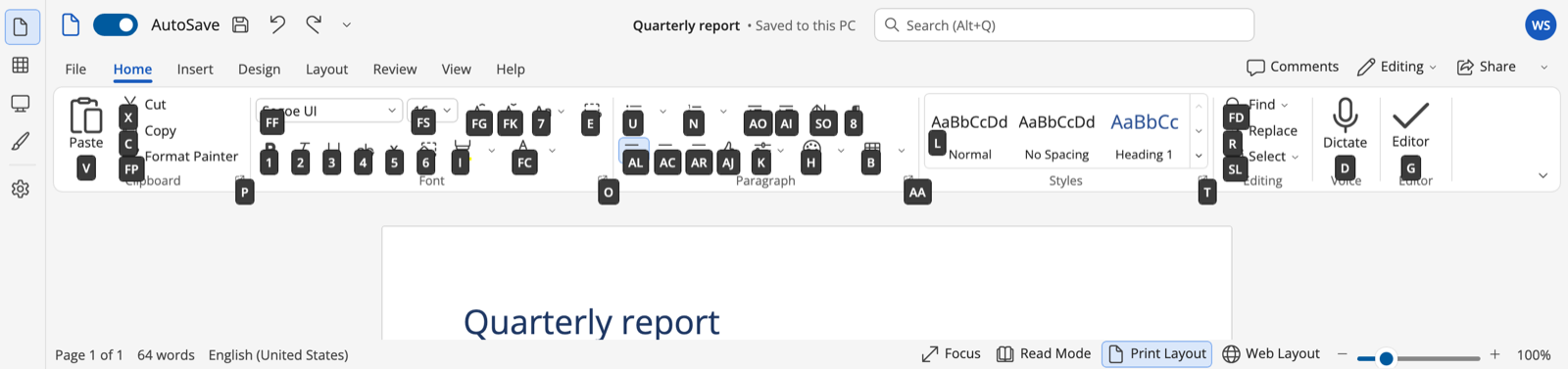 KeyTips (Alt → H) |
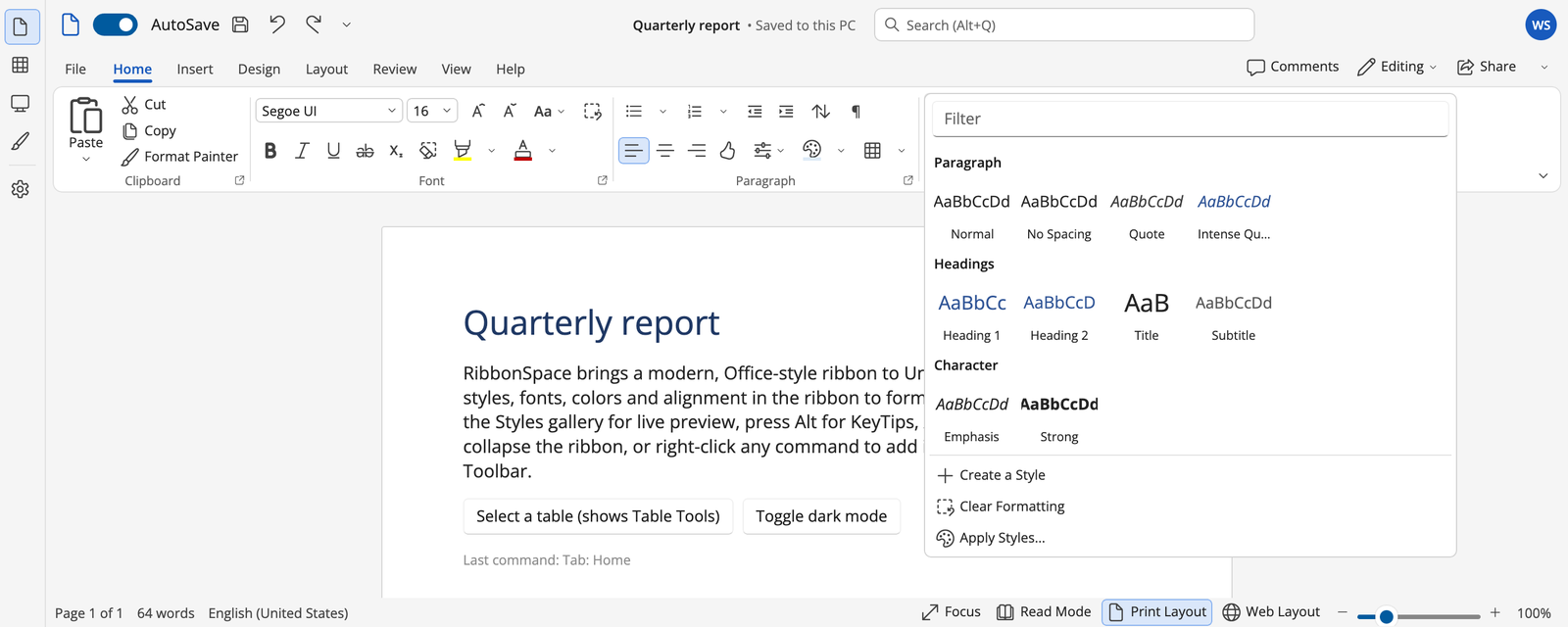 Expanded gallery with categories, filter and footer |
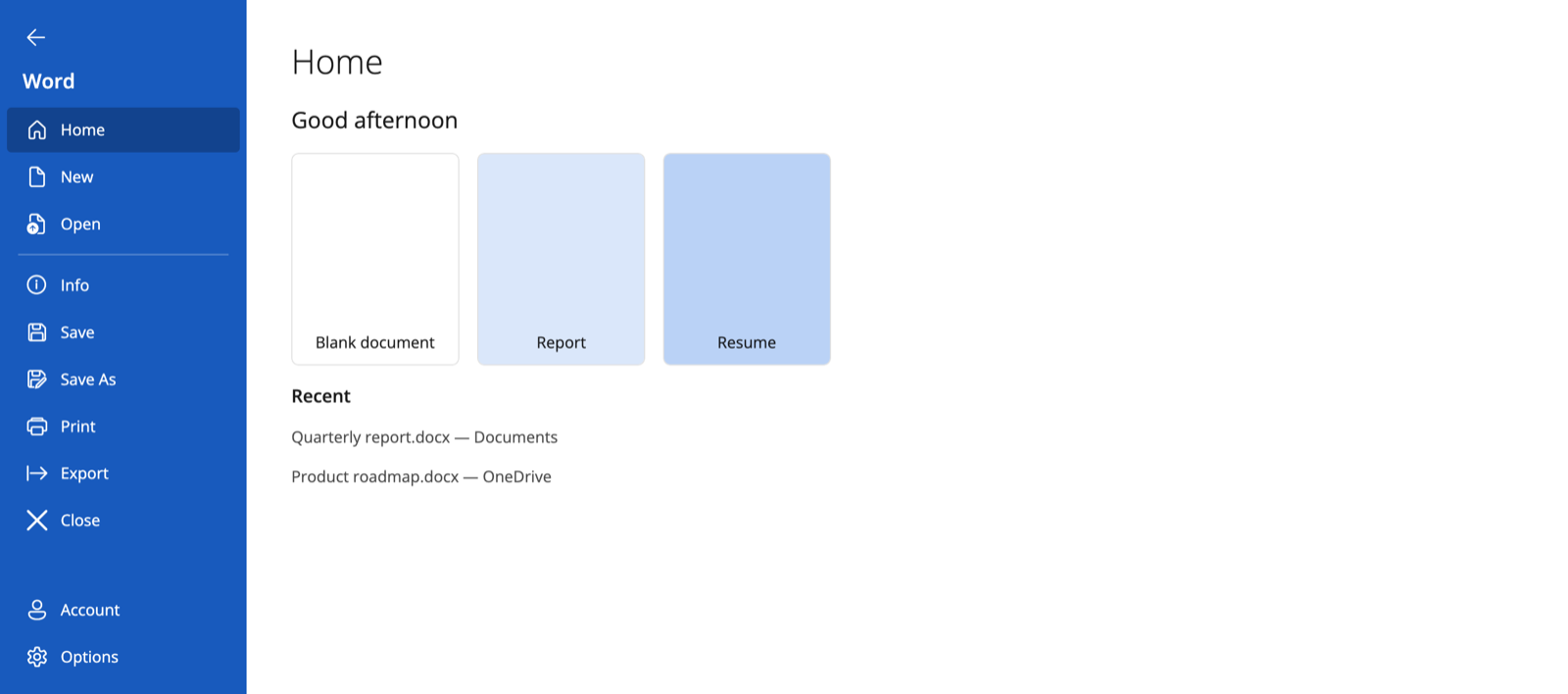 Backstage |
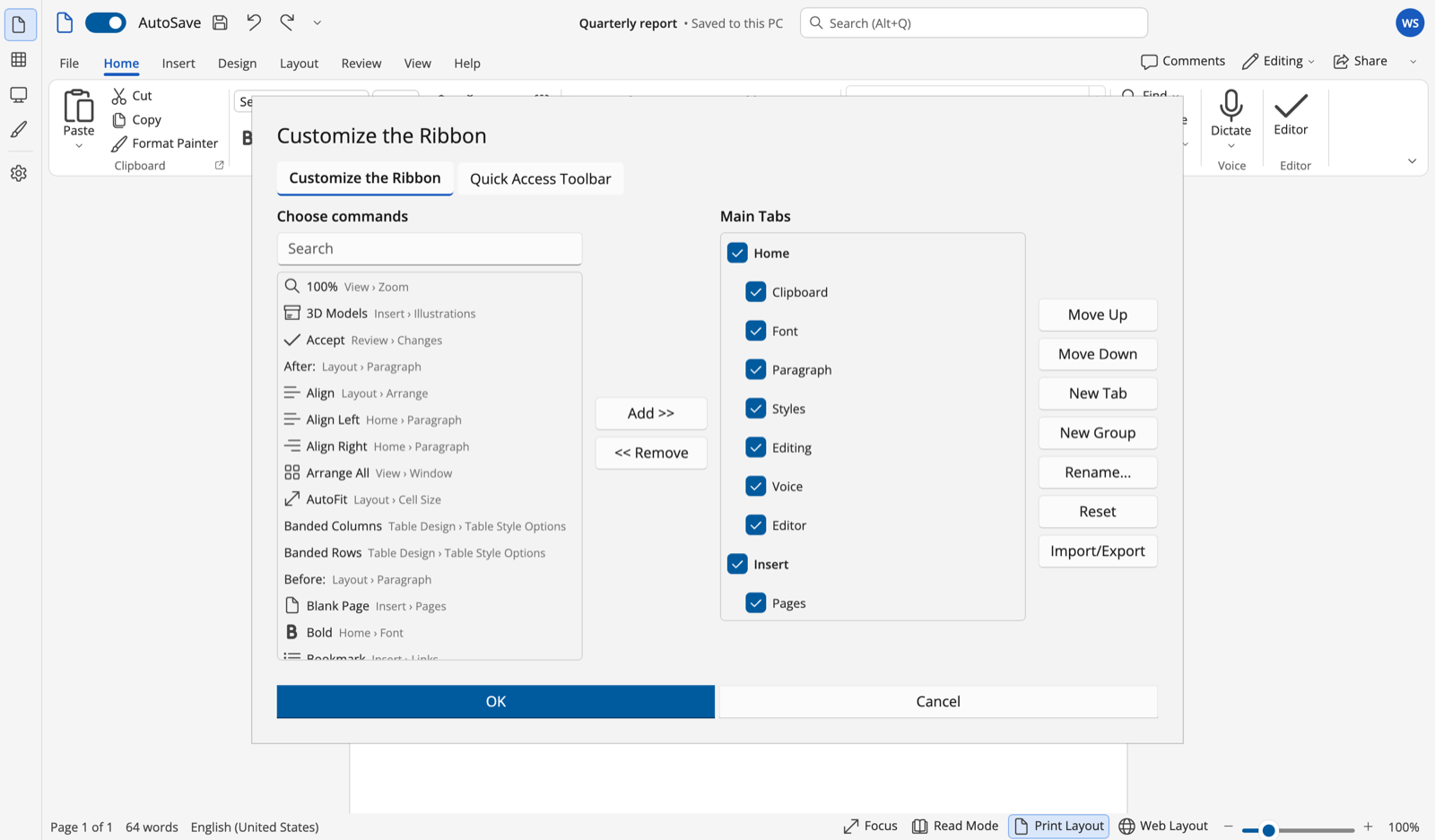 Customize the Ribbon |
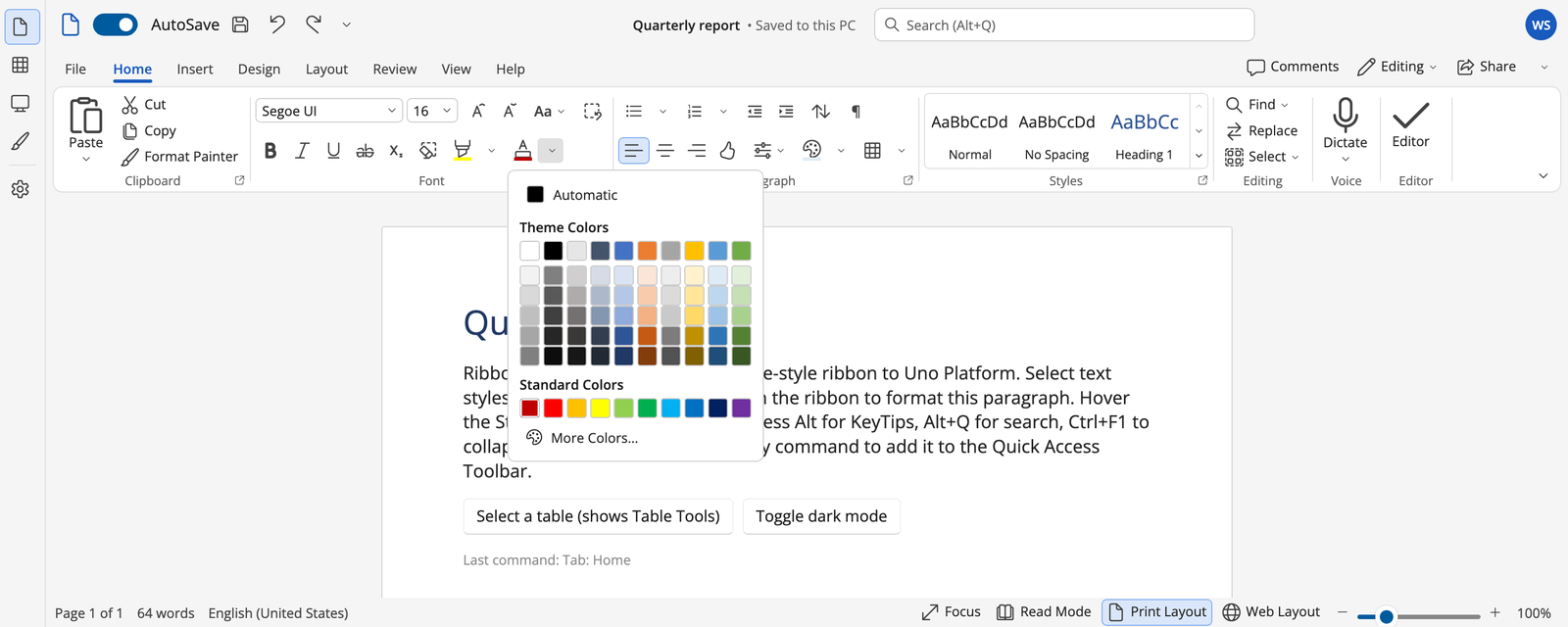 Office colour picker |
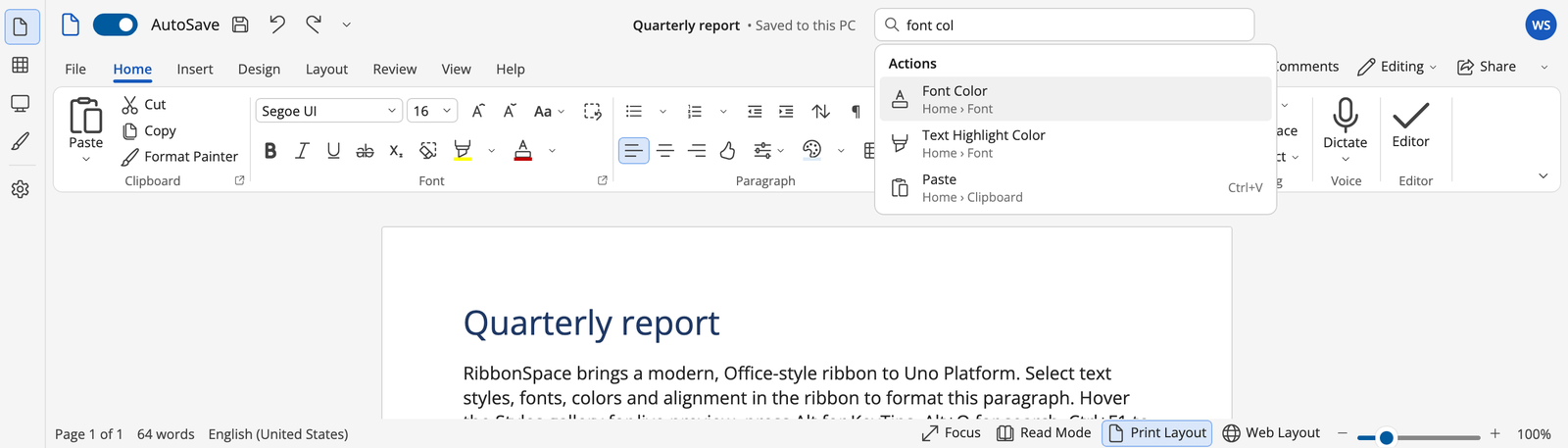 Command search (Alt+Q) |
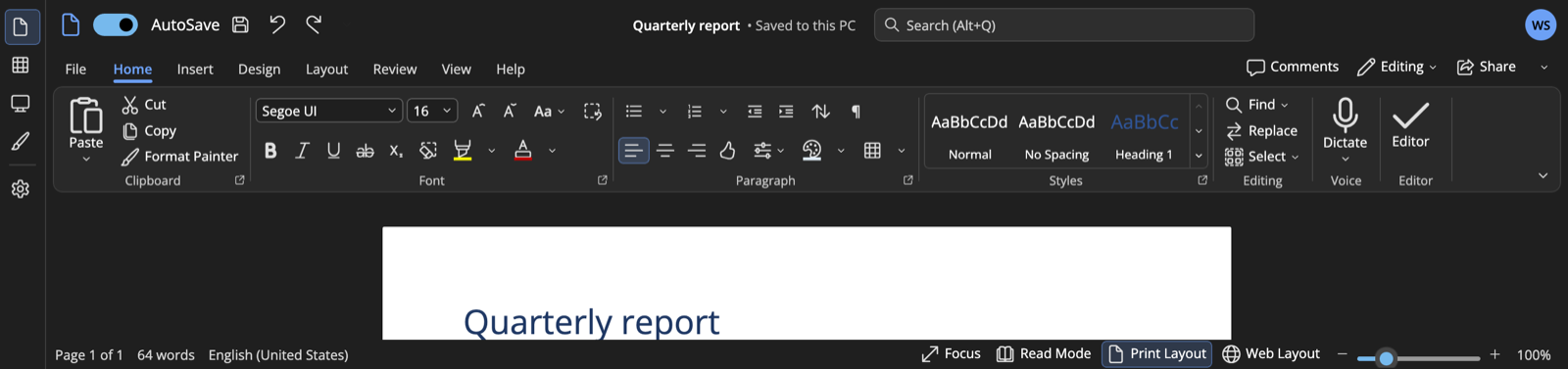 Dark theme |
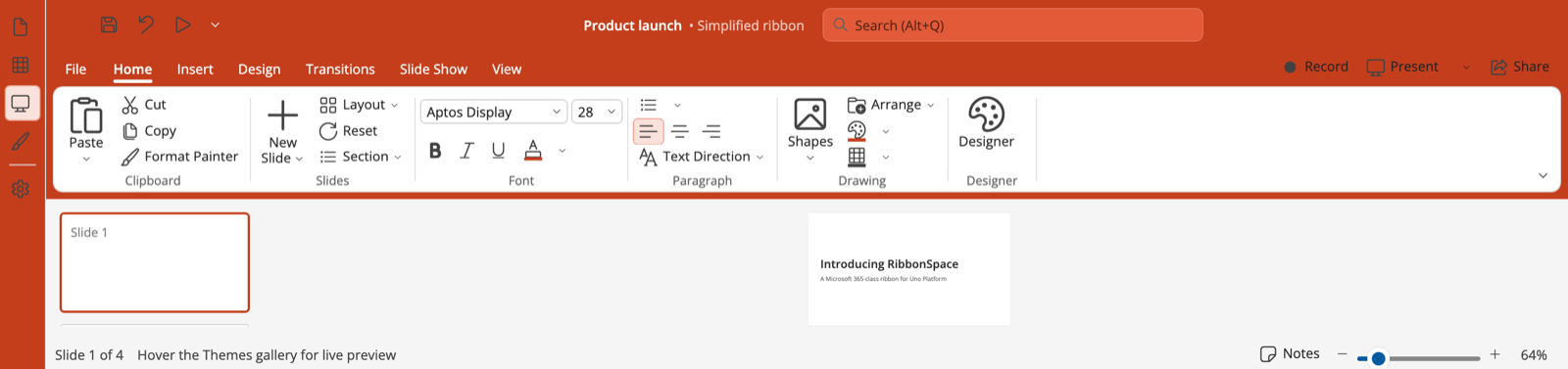 Colorful chrome, PowerPoint palette |
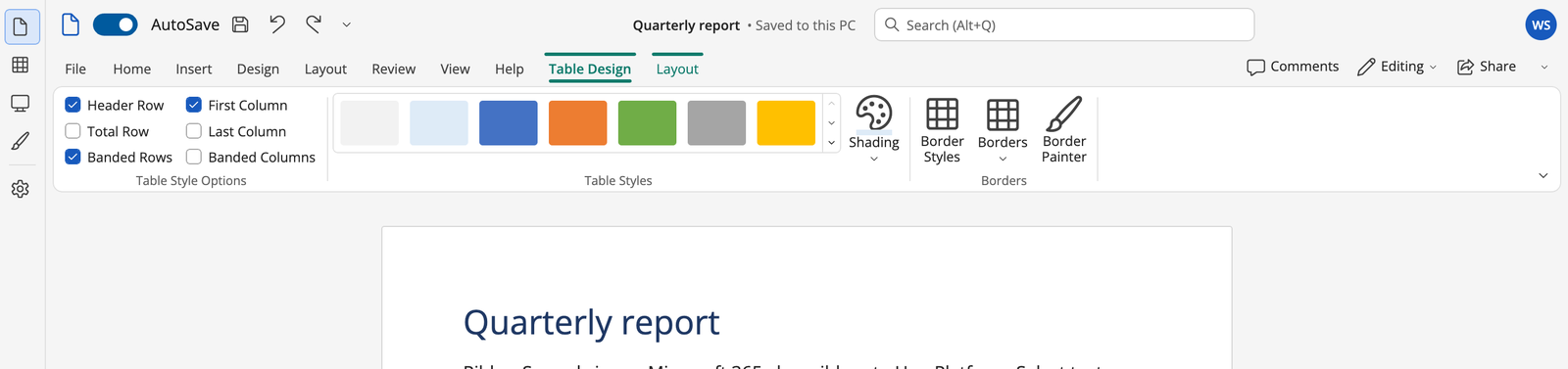 Contextual tabs (Table Tools) |
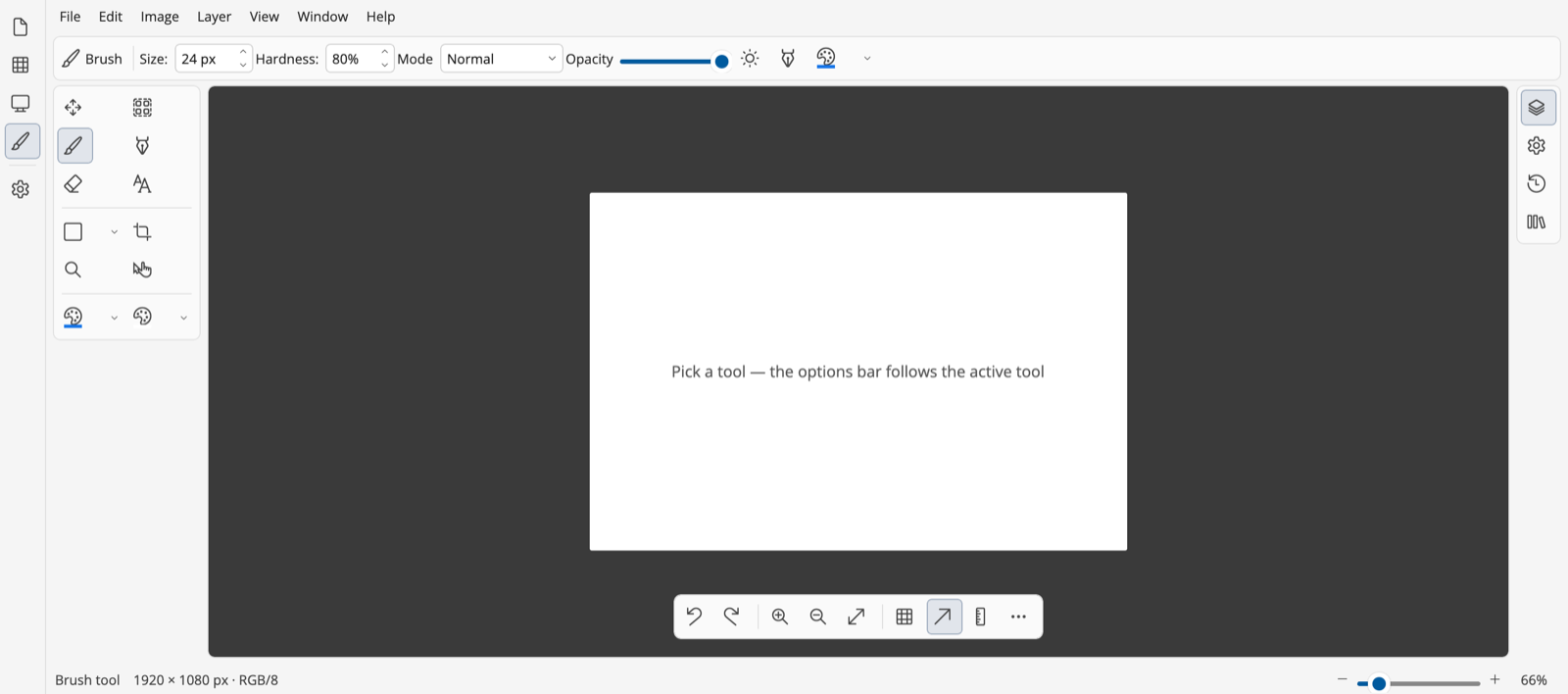 Menu bar, option bar, tool palette, rail, floating command bar |
| Package | NuGet | Use it for |
|---|---|---|
RibbonSpace.Uno |
Uno Platform 6 apps, on every head | |
RibbonSpace.WinUI |
WinUI 3 (Windows App SDK) apps without Uno (guide) | |
RibbonSpace.Core |
UI-agnostic models, commands, layout algorithms, KeyTips, search, state, palettes and strings, for view models that must not depend on a UI framework (net10.0, net9.0) |
dotnet add package RibbonSpace.Uno     # Uno Platform apps
dotnet add package RibbonSpace.WinUI   # WinUI 3 apps
RibbonSpace.Uno and RibbonSpace.WinUI both depend on RibbonSpace.Core.
| Platform | Package | Target framework | Rendering |
|---|---|---|---|
| Windows, macOS, Linux (X11 / framebuffer) | RibbonSpace.Uno |
net10.0-desktop |
Uno Skia |
| WebAssembly | RibbonSpace.Uno |
net10.0-browserwasm |
Uno Skia |
| iOS, Android | RibbonSpace.Uno |
net10.0-ios, net10.0-android |
Uno Skia |
| Windows App SDK head of an Uno app | RibbonSpace.Uno |
net10.0-windows10.0.26100 |
WinUI 3 |
| WinUI 3 app (Windows 10 1809+, Windows App SDK 1.7+) | RibbonSpace.WinUI |
net10.0-windows10.0.19041.0 or later |
WinUI 3 |
No namespace declaration or prefix is needed: RibbonSpace registers its types in Uno.Sdk's global XAML namespace
(implicit XAML namespaces are on by default), so <Ribbon> works like any built-in control. The prefixed forms
(rs: without declaration, xmlns:rs="https://github.com/wieslawsoltes/RibbonSpace" or
xmlns:rs="using:RibbonSpace.Controls") remain available, and XAML compiled by WinUI's XAML compiler (WinUI 3 apps,
Windows App SDK heads) needs the using: form (see XAML namespaces).
<Grid RowDefinitions="Auto,Auto,*">
<RibbonTitleBar Title="Report" AppIcon="" Ribbon="{x:Bind Ribbon}" />
<Ribbon x:Name="Ribbon" Grid.Row="1" ItemInvoked="OnItemInvoked">
<RibbonTab Id="home" Header="Home">
<RibbonGroup Id="clipboard" Header="Clipboard" IsDialogLauncherVisible="True">
<RibbonSplitButton Id="paste" Label="Paste" Icon="" SizeDefinition="Large" Shortcut="Ctrl+V">
<MenuFlyout><MenuFlyoutItem Text="Keep Text Only" /></MenuFlyout>
</RibbonSplitButton>
<RibbonButton Id="cut" Label="Cut" Icon="" Command="{x:Bind ViewModel.CutCommand}" />
<RibbonButton Id="copy" Label="Copy" Icon="" />
</RibbonGroup>
<RibbonGroup Id="font" Header="Font" ItemsLayout="Rows" RowCount="2">
<RibbonStackPanel>
<RibbonFontComboBox Text="Aptos" />
<RibbonFontSizeComboBox Text="11" />
</RibbonStackPanel>
<RibbonStackPanel>
<RibbonButtonGroup>
<RibbonToggleButton Id="bold" Label="Bold" Icon="" Shortcut="Ctrl+B" IsChecked="{x:Bind ViewModel.IsBold, Mode=TwoWay}" />
<RibbonToggleButton Id="italic" Label="Italic" Icon="" Shortcut="Ctrl+I" />
</RibbonButtonGroup>
<RibbonColorPicker Id="fontColor" Label="Font Color" />
</RibbonStackPanel>
</RibbonGroup>
</RibbonTab>
</Ribbon>
</Grid>WinUI's XAML compiler resolves using: namespaces only, so WinUI 3 apps declare a prefix. Everything else (MVVM,
commands, KeyTips, QAT, backstage, theming, state) works as on Uno:
<Window xmlns="http://schemas.microsoft.com/winfx/2006/xaml/presentation"
xmlns:x="http://schemas.microsoft.com/winfx/2006/xaml"
xmlns:rs="using:RibbonSpace.Controls">
<Grid RowDefinitions="Auto,Auto,*">
<rs:RibbonTitleBar Title="Report" Ribbon="{x:Bind Ribbon}" />
<rs:Ribbon x:Name="Ribbon" Grid.Row="1" ItemInvoked="OnItemInvoked">
<rs:RibbonTab Id="home" Header="Home">
<rs:RibbonGroup Id="clipboard" Header="Clipboard">
<rs:RibbonButton Id="paste" Label="Paste" Icon="" Size="Large" />
<rs:RibbonButton Id="cut" Label="Cut" Icon="" />
</rs:RibbonGroup>
</rs:RibbonTab>
</rs:Ribbon>
</Grid>
</Window>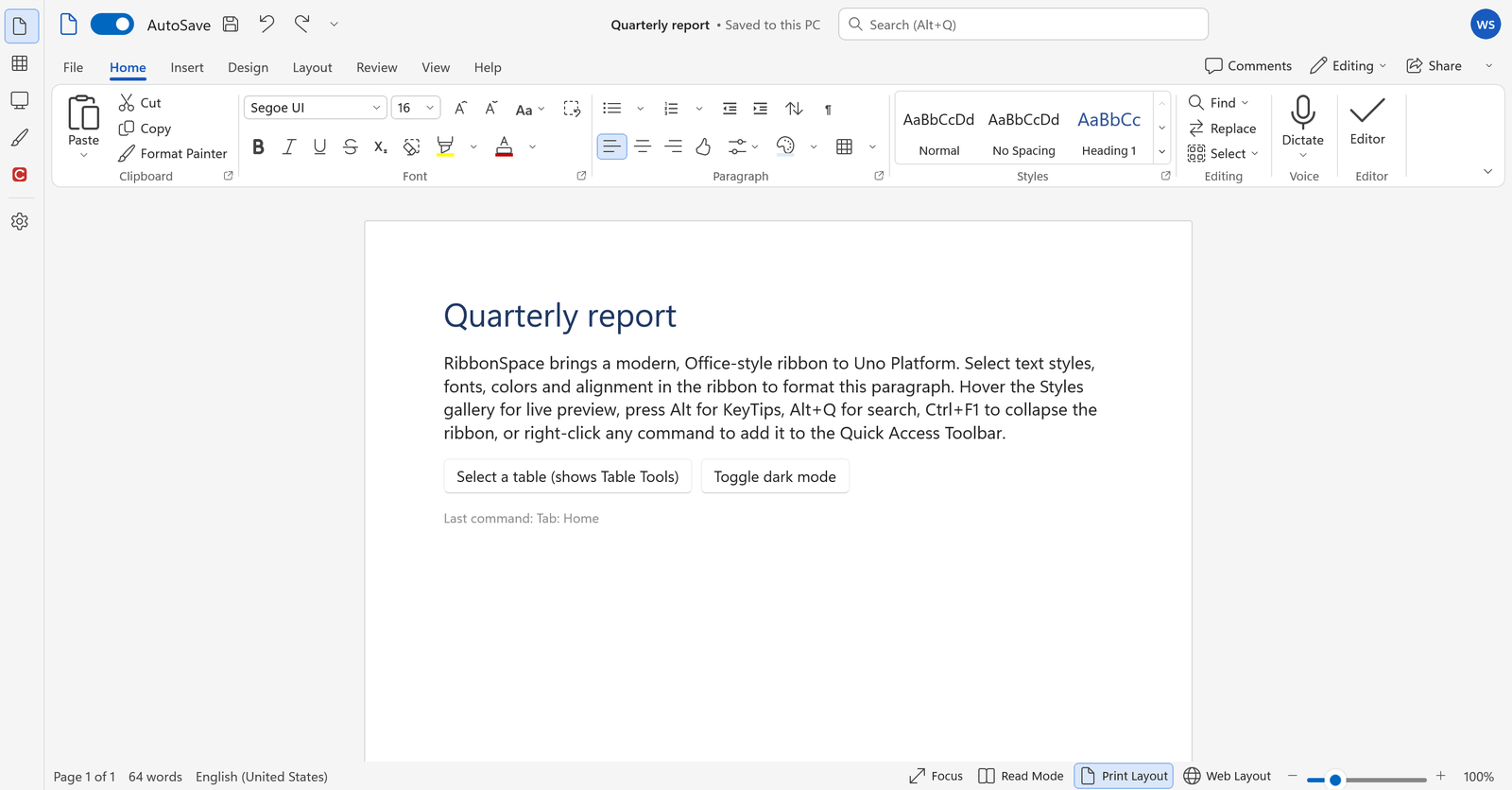
The WinUI guide covers requirements, theme resources, title bar integration and how the port shares the Uno sources.
var ribbon = new RibbonModel { CommandCatalog = catalog };
ribbon.Tabs.Add(new RibbonTabModel("home", "Home")
{
    Groups =
    {
        new RibbonGroupModel("clipboard", "Clipboard", RibbonIcons.Paste)
        {
            Items =
            {
                new RibbonSplitButtonModel("paste", "Paste", RibbonIcons.Paste) { CommandId = "paste" },
                new RibbonToggleButtonModel("bold", "Bold", RibbonIcons.Bold) { Shortcut = "Ctrl+B" },
                new RibbonColorPickerModel("fontColor", "Font Color", RibbonIcons.FontColor),
            },
        },
    },
});<Ribbon Model="{x:Bind ViewModel.Ribbon}" />Checked states, values, selection, display modes, contextual groups, the QAT and the backstage stay in two-way sync. See MVVM.
Getting started · WinUI 3 · WinUI and Uno differences · Architecture · XAML · MVVM · Commands and keyboard · Controls reference · Layout · Tabs · QAT · Backstage · KeyTips · Search · Galleries and pickers · Toolbars and chrome · Theming · Localization · Customization and state · Accessibility · Migration · Testing · Releasing
dotnet run --project samples/RibbonSpace.Demo -f net10.0-desktopIt has Word (XAML), Excel (MVVM), PowerPoint (simplified), toolbars and palettes, CAD, and settings (theme, palette,
chrome, density, layout, language, state JSON, event log). It also runs in the browser:
wieslawsoltes.github.io/RibbonSpace, and as a WinUI 3 app
(dotnet run --project samples/RibbonSpace.WinUI.Demo on Windows).
dotnet build RibbonSpace.slnx
dotnet test tests/RibbonSpace.Core.Tests
dotnet run --project tests/RibbonSpace.Uno.RuntimeTests -f net10.0-desktop   # runtime UI tests in a real window
Requirements: .NET 10 SDK, and Uno.Sdk 6.7 (resolved from global.json). Building for WebAssembly needs the
wasm-tools workload, and building every target needs android and ios too (-p:RibbonSpaceAllTargets=true).
On Windows that also adds the WinAppSDK target, which must be built with Visual Studio's msbuild /restore
rather than dotnet build.
WinUI 3 (on Windows; plain dotnet build works):
dotnet build RibbonSpace.WinUI.slnx
dotnet run --project samples/RibbonSpace.WinUI.Demo
dotnet run --project tests/RibbonSpace.WinUI.RuntimeTestsMIT © Wiesław Šoltés